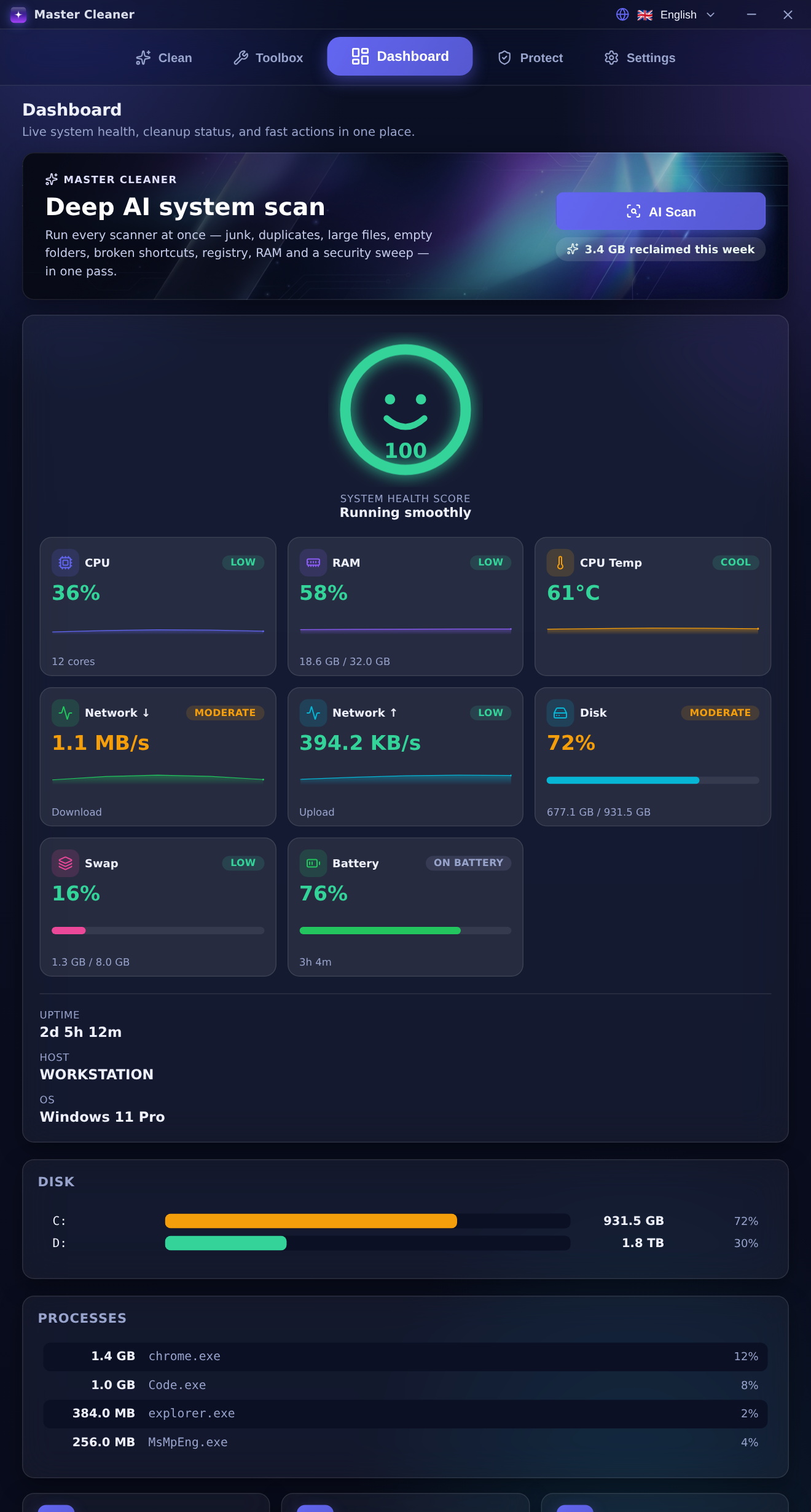
A native Windows toolkit for deep cleaning, performance & RAM optimisation, multi-engine security and system health — with a recovery archive so every action is safe to undo.
No account requiredFully reversibleNothing leaves your PC
7scanners in one pass
10languages
100%on-device
Master Cleaner
✓
3.4 GB reclaimedthis week
AI
Health 100Running smoothly
Safe by designProtected-path guards & recovery archive
On-device AIA local engine turns results into a verdict
Native & lightOne executable on the OS WebView — no Chromium
Full audit trailAppend-only log & CSV / JSON export
Everything, in one app
One toolkit for a fast, clean, safe PC
Six purpose-built modules working from a single, native window — each one reversible, each one on-device.
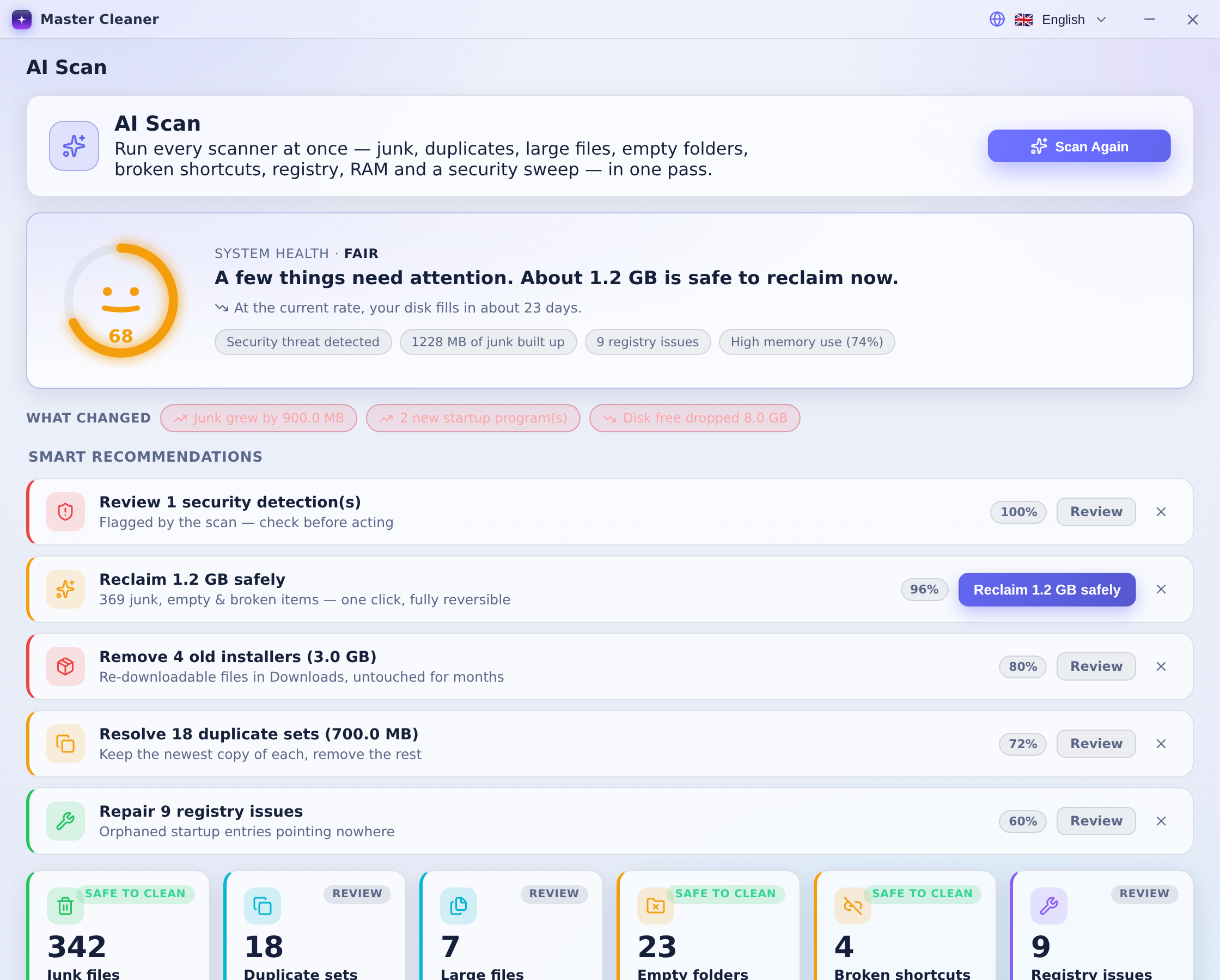
AI Scan
One click runs every scanner in a single pass, then a 100% on-device engine turns the results into a health score, a disk-fill forecast and a confidence-ranked action plan.
System-health score & smiley
Disk-fill forecast
Smart, reversible recommendations
Deep Cleaner
Clears system temp, browser and app caches (Chrome, Firefox, Discord, VS Code and more), GPU shader caches and prefetch — with an aggressive mode for Windows Update and dev caches.
Safe & Aggressive modes
Per-item risk badges
Browser privacy sweep
Performance & RAM
Trim working-set memory, reset DNS / Winsock / TCP, manage startup apps, suspend background services with Game Mode and repair orphaned registry entries.
One-click RAM trim
Startup manager
Game Mode
Security Shield
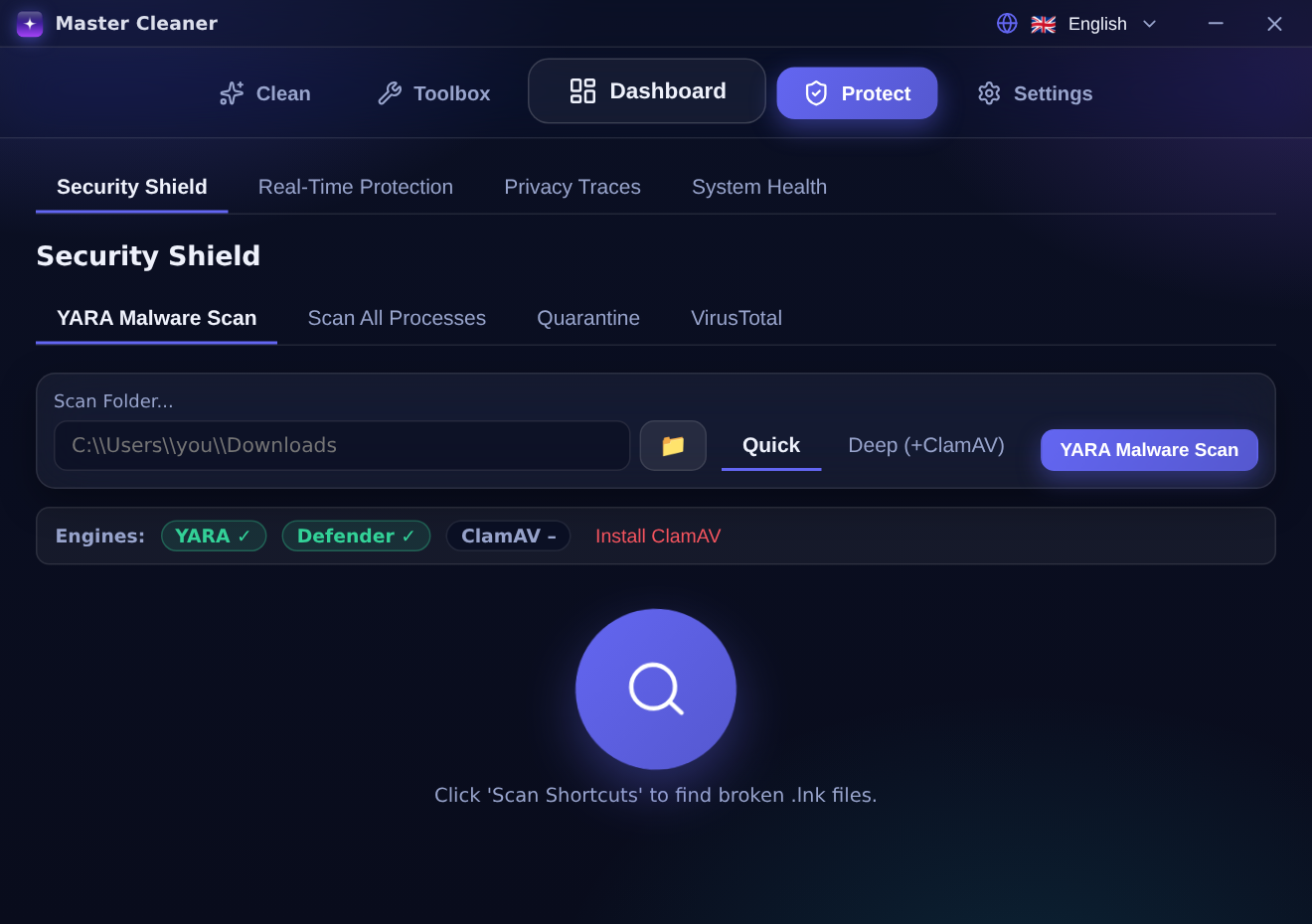
Multi-engine malware scanning with YARA-X, optional ClamAV, a Windows Defender second opinion and VirusTotal hash lookups — plus a reversible quarantine that needs corroboration before acting.
YARA-X + ClamAV + Defender
VirusTotal hash lookup
Reversible quarantine
System Tools
Duplicate finder, similar-photo detection, disk-usage treemap, large-file hunter, secure shredder, live process & network monitors, SMART health and a full system-info panel.
Duplicate & photo dedup
Disk-usage treemap
Secure DoD shredder
Recovery & Audit
Every deletion goes to a recovery ZIP you can restore in one click. An append-only audit log records what happened, and you can export the full history to CSV or JSON.
One-click restore
Append-only audit log
CSV / JSON export
The AI Scan, explained
Seven scanners. One verdict. Zero cloud.
Master Cleaner runs junk, duplicate, large-file, empty-folder, broken-shortcut, registry and security scanners together — then a local Rust engine scores your system, forecasts when the disk fills, and ranks each fix by confidence.
1
Scan everything at onceA single pass across seven engines — no repeated waiting.
2
Get a plain-language verdictA health score, a smiley and “about X GB is safe to reclaim now.”
3
Act with confidenceRanked recommendations, every one fully reversible.
AI Scan
Live, in your browser
Try Master Cleaner right here
A faithful, interactive simulation of the real app. Run a scan, reclaim space, explore every screen — no install, nothing touched on your machine.
master-cleaner · interactive simulation
The demo uses simulated data to mirror the real app — the desktop build works on your own files, fully reversibly.
Real screenshots
See the app in action
Captured straight from the desktop build. Click any shot to enlarge.
Make it yours
Six themes, light & dark
Aurora, Fluent Mica, Neon, Linear, Soft/Low-Glass and High-Contrast — each in light and dark, all WCAG-AA verified.
Aurora
Fluent Mica
Neon
Linear
Soft Glass
High-Contrast
Private & reversible
Powerful, but built to be safe
Deep cleaning and system tuning only feel safe when nothing is irreversible and nothing leaves your machine. Master Cleaner is engineered around both.
Protected-path guardsCritical system folders can never be deleted.
One-click restoreEvery removed item lands in a recovery archive.
Nothing leaves the deviceAll analysis runs locally — no cloud, no accounts.
Corroborate before actingThreats need a second engine before quarantine.
Security Shield
Get Master Cleaner
Download for Windows 10 / 11
Pick the format that fits. Free for personal use and small organisations.
Recommended
Installer (.exe)
Installs to Program Files with a Start-menu entry and signed auto-updates.
Windows 10 / 11 · x64PolyForm Small Business licence · free for individuals & small teamsSource on GitHub
Good to know
Frequently asked questions
Is anything sent to the cloud?
No. Every scan and the entire AI analysis run on your device. There are no accounts and nothing is uploaded.
Can I undo a cleanup?
Yes. Removed items go into a recovery ZIP archive, and you can restore any of them with one click. Registry repairs are backed up before they run.
Which languages are supported?
Ten, including Hebrew and Arabic with full right-to-left layouts. The set is parity-enforced so every string is translated.
Is it free?
It is free for personal use and organisations under 100 people / $1M revenue, under the PolyForm Small Business licence. Larger organisations and redistribution need a commercial licence.
What are the requirements?
Windows 10 or 11, 64-bit. The app is a single native executable that uses the OS WebView2 — no bundled Chromium, so it stays light.
How does the security scan work?
It combines YARA-X rules with an optional ClamAV engine, a Windows Defender second opinion and VirusTotal hash lookups. Threats need corroboration before they go to reversible quarantine.
Give your PC a fresh start today
Clean, optimise and protect in one native app — on-device, reversible, in your language.